SiliconANGLE AI
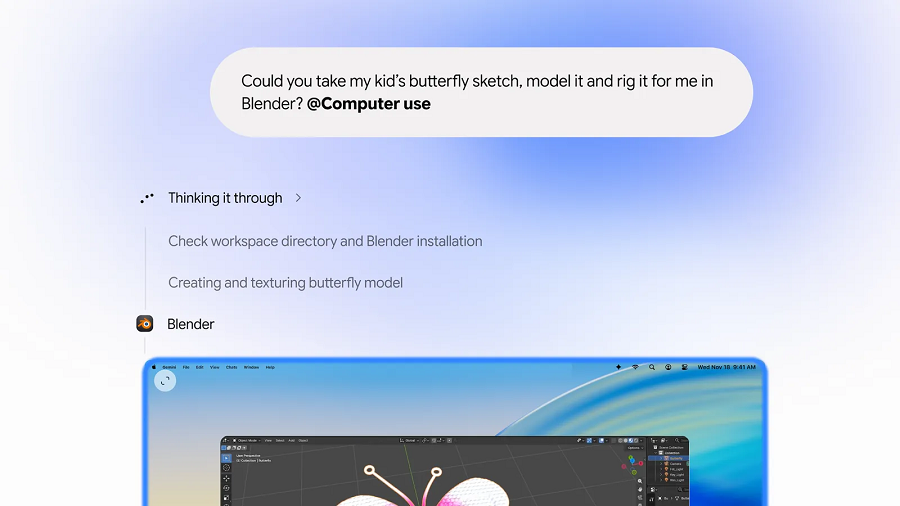
Google adds computer use capabilities to Gemini’s Mac app
Level:Intermediate
For:AI Engineers
✦TL;DR
Google released an updated Gemini Mac client that can now interact with other applications on the user’s computer, extending its capabilities beyond pure chat. The feature is launched in the U.S. and requires a Google AI subscription, which also provides additional storage and a broader AI toolset. This integration enables engineers to build workflows that combine Gemini’s language capabilities with local desktop automation, opening new possibilities for productivity‑focused AI assistants.
⚡ Key Takeaways
- The new Gemini Mac client can interact with other apps on the user’s computer.
- Requires a Google AI subscription to access the computer‑use feature.
- Availability is limited to the United States at launch.
- The subscription also includes additional storage and a broader lineup of AI tools.
💡 Why It Matters
Engineers can now leverage Gemini’s LLM directly on macOS to automate desktop tasks, reducing the need for separate scripting solutions and accelerating the development of integrated AI assistants.
✅ Practical Steps
- Subscribe to Google AI to unlock the computer‑use capabilities in Gemini’s Mac app.
- Install the latest version of the Gemini Mac client and enable the feature to allow interaction with other desktop applications.
Want the full story? Read the original article.
Read on SiliconANGLE AI ↗More like this
Censored vs. Truncated Regression in Python, Explained
Towards Data Science•#llm
How Google Duplex evolved to also call businesses for you in Gemini
Google Research•#agents
Q&A: Enabling more human-like interactions and understanding in multimodal foundation models
MIT News AI•#llm
Welcome Inkling 2 Mini, Cutting-edge Performance for your Local Setup
Hugging Face Blog•#llm